
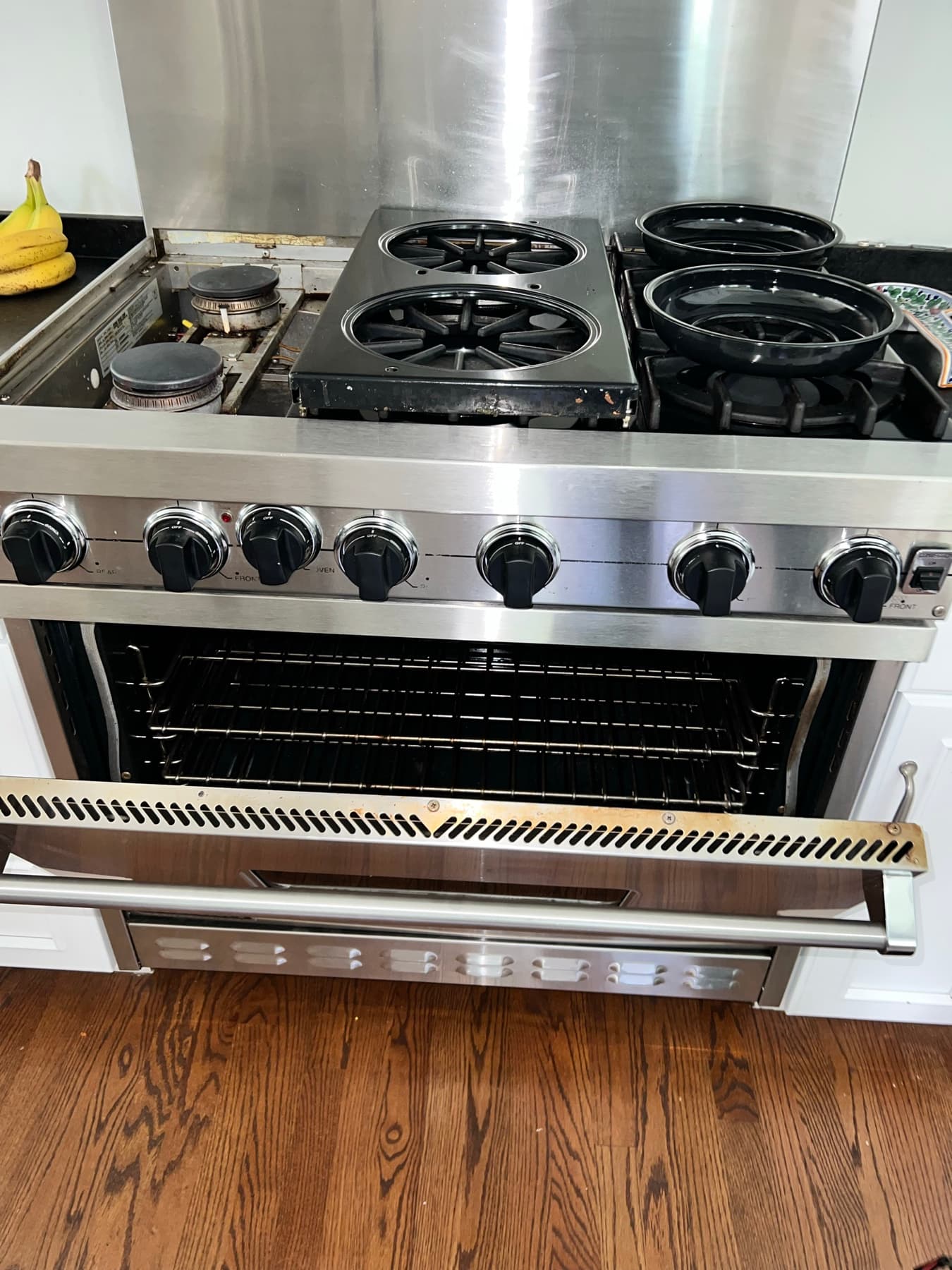
An oven with no heat at all and an oven that heats to the wrong temperature are two different problems with two different sets of likely causes. Here's how to tell them apart before you troubleshoot further.
Quick Diagnosis
The oven doesn't get hot at all when you start a bake or broil cycle, or it does heat but food consistently comes out under- or overcooked at the setting you chose.
Is there truly zero heat, or does the oven warm up eventually but seem to run hotter or cooler than the number on the display?
No heat at all — no element glow on an electric oven, no burner ignition on a gas oven — points to a different set of causes than an oven that heats but drifts off the set temperature.
No-heat problems usually trace back to power delivery, the heating element, or the ignition system. Wrong-temperature problems usually trace back to the temperature sensor, calibration, or a door that isn't sealing.
Confirm the control panel settings and mode, note whether bake, broil, or both are affected, and time how long you actually waited before deciding nothing was happening — ovens take a few minutes to show results.
If you smell gas, see arcing or sparking near an element, or a breaker trips more than once, stop testing and call a professional rather than continuing to experiment.
What Can Cause This Problem?
No heat at all: power interruption or tripped breaker
Electric ovens draw significant current on a dedicated circuit, and gas ovens still rely on household power for the igniter, control board, and display. A tripped breaker can leave the clock and touchpad working (on some models) while cutting power to the actual heating circuit, which makes the fault look more mysterious than it is.
No heat at all: failed heating element (electric) or igniter (gas)
On electric ovens, a bake or broil element that's visibly warped, blistered, or arcing has physically failed and won't heat, even if the display shows a normal cycle running. On gas ovens, a weak or failed igniter is the most frequent no-heat cause — it has to draw enough current to open the gas safety valve before the burner lights, and a weakening igniter often glows for a long time without ever getting there. These have enough fuel-specific detail that they're covered in depth in our gas oven and electric oven guides.
No heat at all: wrong mode or a demo/lockout setting active
Ovens set to "broil" instead of "bake," a proof or warm setting mistaken for a heating cycle, or a demo/showroom mode enabled during shipping or by an accidental button combination can all produce a display that looks normal with no actual heat being generated.
No heat at all: blown thermal fuse
Many electric ranges include a thermal fuse as a one-time safety device that cuts power permanently if the oven overheats abnormally. Unlike a breaker, it doesn't reset itself — once blown, the oven has no heat until the fuse is replaced, even though everything else on the control panel may work normally.
Wrong temperature: drifting temperature sensor or thermostat
The temperature sensor (a probe, usually near the back wall) tells the control board when to cycle the element or burner on and off. As it ages it can read a few degrees off, or in worse cases swing wildly, which shows up as food that's consistently over- or under-cooked at a setting that used to work fine.
Wrong temperature: door seal or gasket wear
A gasket that's torn, flattened, or not making full contact lets heat escape continuously during a cycle. The oven compensates by running the element or burner longer and more often, which can throw off both temperature accuracy and cook times without ever showing an outright failure.
Control board or relay fault
The control board switches power to the heating circuit based on signals from the temperature sensor and the touchpad. A failed relay or a board that isn't sending the ignition/heating signal at all can cause either a total no-heat condition or an oven that overheats or undercooks unpredictably. This requires a technician to isolate from a simpler element or sensor problem.
What to Check First
Control panel settings and mode
SAFE FOR MOST HOMEOWNERS- How to check it
- Check that the oven is actually set to "bake" or "broil" (not a timer, proof, or clock-only mode) and that the target temperature is reasonable.
- What the result may mean
- A mode mix-up produces a display that looks active with no actual heat being generated — extremely common and free to fix.
- Normal
- Mode and temperature are set as expected, no demo/lockout icon showing.
- Abnormal
- Set to the wrong mode, or a demo/showroom icon or "Sab" (sabbath mode) indicator is lit.
Bake vs. broil isolation
SAFE FOR MOST HOMEOWNERS- How to check it
- Run a bake cycle for a few minutes, then separately try broil (briefly — don't leave broil unattended).
- What the result may mean
- One function failing points to that specific element or igniter; both failing points more toward power, the control board, or a shared component.
- Normal
- Both work, or the failure is limited to one function.
- Abnormal
- Neither bake nor broil produces any heat.
Preheat timing
SAFE FOR MOST HOMEOWNERS- How to check it
- Start a preheat to 350°F and time how long it takes to signal "ready."
- What the result may mean
- A preheat that never finishes usually means the element or burner isn't producing enough heat, or isn't heating at all.
- Normal
- Most ovens preheat in roughly 10–15 minutes, model dependent.
- Abnormal
- Preheat never completes, or takes dramatically longer than usual.
Breaker status
SAFE FOR MOST HOMEOWNERS- How to check it
- Open the electrical panel and look for a breaker in the tripped (middle) position, labeled for the oven or range if labeled at all.
- What the result may mean
- A tripped breaker cuts power to the heating circuit, sometimes while leaving the clock or touchpad running on a separate low-voltage path.
- Normal
- Breaker is fully in the "on" position.
- Abnormal
- Breaker is tripped, sitting between on and off.
Element or igniter visual behavior
SAFE FOR MOST HOMEOWNERS- How to check it
- With the oven running a bake cycle, look (don't touch) at the bake element or, on a gas oven, listen and look for the igniter glow through the oven window or vent opening.
- What the result may mean
- This is the fastest way to tell whether the heat source itself is the problem — see our fuel-specific guides for what to do next.
- Normal
- Electric element glows a steady orange within a minute or two; gas igniter glows and the burner catches within roughly 30–90 seconds.
- Abnormal
- No glow at all, a glow that never leads to ignition, or visible arcing/blistering on an electric element.
Door seal condition
SAFE FOR MOST HOMEOWNERS- How to check it
- Run your hand carefully around the outside edge of the closed oven door during a bake cycle, feeling for escaping heat.
- What the result may mean
- A poor seal lets heat escape continuously, which can affect both temperature accuracy and cook times.
- Normal
- No noticeable heat leaking around the edges.
- Abnormal
- Warm air clearly escaping at one or more points along the gasket.
Actual temperature accuracy
SAFE FOR MOST HOMEOWNERS- How to check it
- Place an independent oven thermometer on a center rack, preheat to 350°F, and compare its reading to the display once both have settled.
- What the result may mean
- Confirms a real calibration or sensor issue rather than a perception problem with how food is cooking.
- Normal
- Within about 15–25°F of the set point, which is typical for most ovens.
- Abnormal
- A large, consistent gap between the thermometer and the display.
Control board response and internal wiring
DO NOT ATTEMPT- How to check it
- Requires opening the control panel or rear access panel and testing voltage and continuity at the board and heating circuit.
- What the result may mean
- If settings, power, the element/igniter, and the door seal all check out normally, a control board or wiring fault becomes the leading possibility, but confirming it means live electrical testing that should be left to a qualified technician.
- Normal
- N/A
- Abnormal
- N/A
Step-by-Step Checks
1. Confirm the control panel settings
Make sure the oven is set to bake or broil, not a timer-only or proof mode, and check for any demo, showroom, or sabbath-mode indicator on the display. Check your manual for how to exit these modes if one is active — it's usually a specific button-hold combination.
2. Isolate bake from broil
Run a short bake cycle, then separately test broil for a minute or two (stay nearby and don't leave broil unattended). Note whether the problem affects one function or both — this single distinction narrows the likely cause significantly before you even open the fuel-specific guide.
3. Time the preheat
Set the oven to preheat at 350°F and time how long it takes to reach temperature or signal ready. Compare against your model's typical preheat time in the manual if you have it. A preheat that never completes points toward the heat source itself rather than a settings issue.
4. Check the breaker
Open your electrical panel and look for the breaker labeled for the oven or range (or identify it by process of elimination if unlabeled). If it's tripped, switch it fully off, then back on. If it trips again immediately or repeatedly, stop — that's an electrical problem that needs a professional, not something to keep resetting. See our dedicated breaker-tripping guide for that scenario specifically.
5. Verify actual temperature with an independent thermometer
Place an oven thermometer on a center rack, preheat to 350°F, and once both readings settle, compare the thermometer to the display. A consistent, meaningful gap points toward a sensor or calibration issue rather than an inaccurate impression from how food has been cooking.
Look, Listen, Observe
look
- Bake element glowing unevenly, with a dark or discolored section — Suggests the element is breaking down internally even if it still produces some heat.
- Demo, showroom, or sabbath-mode icon lit on the display — The oven may be intentionally prevented from heating by a mode setting, not a fault.
- Visible gap or daylight through the door gasket when closed — A seal issue that can affect both heat retention and temperature accuracy.
listen
- A single click followed by silence when starting a gas oven — Often points toward the igniter or gas safety valve — covered in detail in our gas oven guide.
- A steady hum with no other sound during a bake cycle — Generally normal for the convection fan on models that have one.
observe
- Oven heats but food is consistently underdone at the correct time and setting — Points toward a temperature sensor or calibration problem rather than a no-heat failure.
- Bake works fine but broil produces no heat, or vice versa — Since the two elements or ignition paths are often independent, this narrows the fault to just one.
- Oven display stays on and clock works, but no heat is ever produced — Suggests the low-voltage control circuit is fine while the higher-power heating circuit itself has lost power or failed.
Easy Things You Can Try
- Reset the breaker once — If it's tripped, switch it fully off and back on. If it trips again, stop and call for service rather than resetting repeatedly.
- Exit demo or lockout mode — Check your manual for the button combination to exit a showroom/demo mode or sabbath mode if either indicator is showing.
- Clean and reseat the door gasket — Wipe the gasket down with warm, soapy water, dry it fully, and make sure it's seated evenly in its channel all the way around the door.
- Adjust the temperature offset — Many ovens have a hidden calibration/offset menu (check your manual) that lets you correct a small, consistent temperature discrepancy without replacing anything.
Technician Tips
The very first thing worth separating is bake-only, broil-only, or both — that one distinction usually rules out half the possible causes before any parts are even discussed.
A no-heat complaint and an inaccurate-temperature complaint get treated as two different diagnostic paths on a service call, because they point toward different components almost every time.
If the clock and touchpad work normally but there's zero heat on both bake and broil, that pattern often means the heating circuit itself has lost power somewhere between the breaker and the oven, not that both elements or the igniter failed at once.
Diagnostic Tricks
- SAFE FOR MOST HOMEOWNERS
Time your preheat with a phone timer once and compare it to the model's rated preheat time in the manual — a preheat that takes twice as long as it should is a useful, specific detail to give a technician.
- SAFE FOR MOST HOMEOWNERS
Leave an oven thermometer in for a full cycle rather than checking once — some temperature problems show up as swings over time rather than a flat offset.
- ADVANCED — BETTER FOR A TECHNICIAN
Voltage testing at the terminal block behind the oven can confirm whether full power is actually reaching the unit versus just the control board — this is technician-level work, not a home test.
Error Codes
Many ovens and ranges show a code for this on the display. Codes vary significantly by brand and model, so check yours against the manufacturer's manual, or see our [Appliance error code guide](/blog/appliance-error-codes) for commonly documented codes. Appliance error code guide.
Can I Fix This Myself?
Confirming settings and mode, isolating bake from broil, checking the breaker, and verifying door seal contact are all safe for most homeowners and resolve a real share of no-heat calls.
Visually identifying a failed element or igniter, or noticing a consistent temperature offset with a thermometer, gives you useful information but confirming the actual cause usually still needs a technician.
Replacing a heating element, igniter, temperature sensor, or anything involving the control board and internal wiring should go to a qualified technician — these involve gas safety devices or line-voltage electrical work.
What Not to Do
- Don't ignore a gas smell or repeated ignition clicking with no flame — see our gas oven guide for exactly what to do in that situation.
- Don't keep resetting a breaker that trips again immediately — that's a sign of an electrical fault, not a settings problem.
- Don't open the control panel or access internal wiring to test the board yourself — this is line-voltage work that should go to a qualified technician.
- Don't assume a calibration adjustment will fix a real no-heat problem — offset settings only correct a small, consistent temperature drift, not a failed element or igniter.
When to Stop Troubleshooting
- You smell gas at any point — stop using the oven, ventilate the area, and call your gas utility or a professional immediately rather than continuing to troubleshoot.
- You see arcing, sparking, or scorch marks near an element or the back wall of the oven.
- A breaker trips more than once when reset.
- You've confirmed settings, mode, and the breaker are all normal and there's still no heat or no accurate temperature.
Don't Replace Parts Yet
"Oven not heating" covers genuinely different failures depending on whether it's a total loss of heat or a temperature accuracy problem, and depending on gas versus electric ignition — a bake element, an igniter, and a temperature sensor are three different parts with three different symptoms that can look similar from the outside. Replacing one on a guess when the real issue is a tripped breaker, a mode setting, or a worn door seal means paying for a part that wasn't the problem. A proper diagnosis checks power, settings, the heat source, and the sensor in order, and a technician can usually confirm the actual cause in one visit rather than by trial and error.
Frequently Asked Questions
Start by ruling out a tripped breaker, a mode setting like demo or sabbath mode, and confirming whether bake, broil, or both are affected. From there, gas ovens most often point to the igniter and electric ovens most often point to the bake or broil element.
Still not sure what's causing the problem?
Professional diagnosis can help identify the actual cause before replacing parts unnecessarily.