
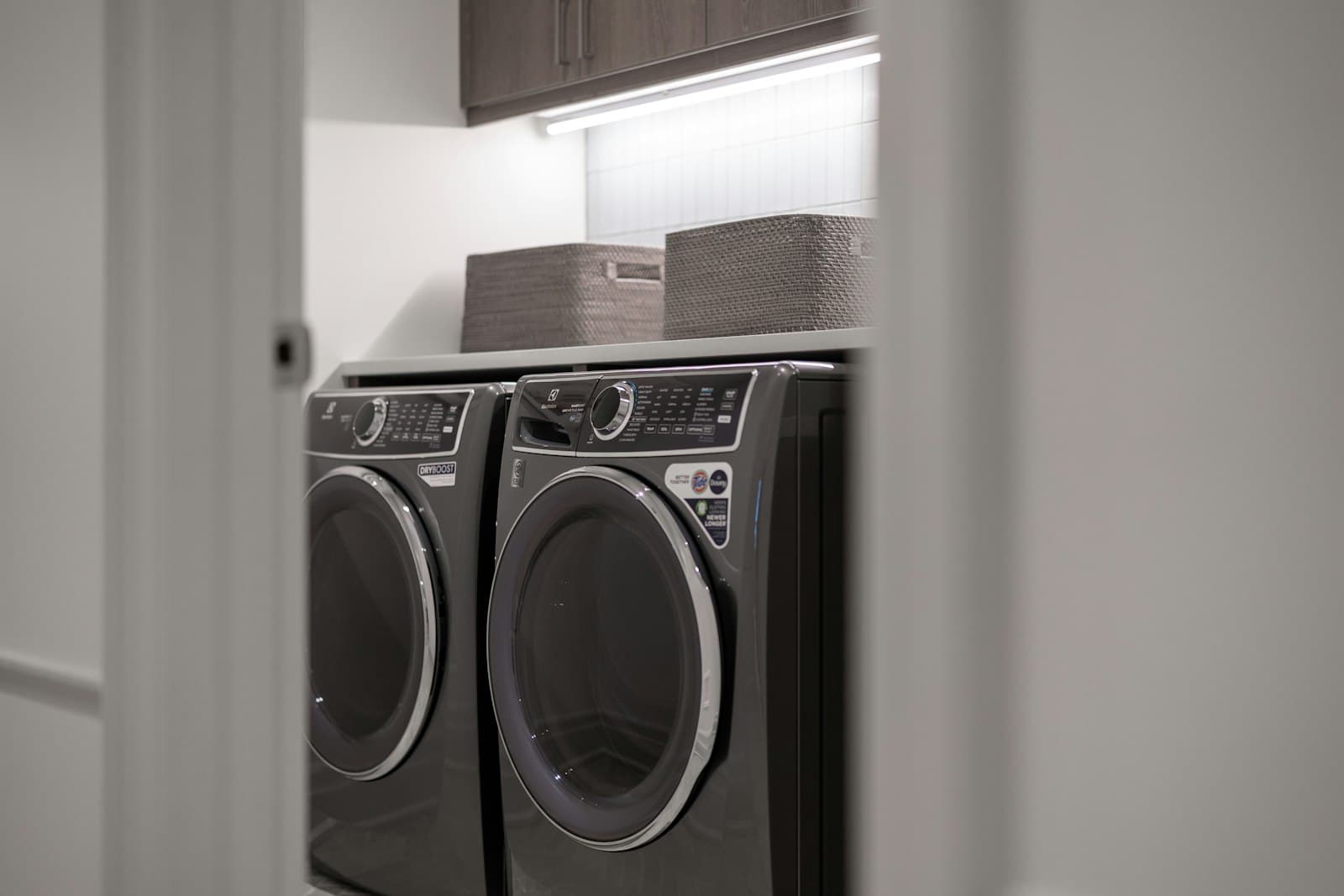
A washer that won't start at all can be as simple as a control lock left on or a door that isn't quite latched — or it can point to something electrical. Here's how to tell the difference safely.
Quick Diagnosis
Pressing start does nothing — the display doesn't respond, or it responds but the cycle never actually begins.
Look at the display or indicator lights. Is anything lit up at all, or is the panel completely dark?
A completely dark, unresponsive panel points toward power. A lit panel that just won't begin the cycle points toward the door, control lock, or a detected condition like water supply.
Power issues, a control lock left on, and a door that isn't fully latched account for a large share of "won't start" calls and are all safe to check yourself.
Check the control lock button, close the door firmly until it clicks, and confirm the machine has power — all safe, all covered below.
If a breaker keeps tripping every time you reset it, or you see sparking or scorching at the outlet or cord, stop and call for service.
What Can Cause This Problem?
Control lock (child lock) feature enabled
Most modern washers have a control lock button, often marked with a small padlock icon, that disables all button presses to prevent accidental cycle changes or kids messing with settings mid-cycle. It's easy to bump accidentally, and when it's on, the machine can look completely unresponsive even though it's otherwise fine.
Door or lid not fully closed
The door switch has to detect a fully closed door before the control board will allow a cycle to start at all — not just visually shut, but latched. A door that looks closed but hasn't clicked into place, or a lid that's slightly out of alignment, is enough to prevent the machine from starting.
No power reaching the machine
A washer plugged into a tripped GFCI outlet (common in laundry rooms), a tripped circuit breaker, or a loose plug connection will show no signs of life at all. This is worth checking before assuming anything is actually broken inside the machine.
Water supply valves not fully open
Some washers check for water flow before allowing a cycle to begin, particularly at the start of the fill step, and will refuse to proceed or will display a fault if the hot or cold supply valve behind the machine is only partially open or fully closed.
Worn or unresponsive start button
On machines with physical buttons rather than a full touch panel, repeated use over years can wear out the button's membrane or contact underneath, so presses stop registering reliably even though the rest of the display works fine.
Door lock mechanism itself has failed
Separate from the door simply not being closed, the locking mechanism that physically secures the door for a running cycle can fail internally. If the control board can't confirm the door is locked, it won't allow the cycle to start as a safety measure, even if the door is closed correctly.
Control board fault or internal wiring issue
If power is confirmed reaching the machine, the control lock is off, and the door is closing and latching properly, but the machine still won't start, the control board itself or a wiring connection inside the cabinet may have failed. Confirming this requires opening the machine and testing components electrically.
What to Check First
Control lock status
SAFE FOR MOST HOMEOWNERS- How to check it
- Look for a small padlock icon on the display or a labeled button, and press and hold it for a few seconds (check your manual for the exact hold time — it varies by brand).
- What the result may mean
- An accidentally engaged control lock is one of the most common reasons a washer looks completely unresponsive.
- Normal
- The lock icon turns off and buttons respond normally.
- Abnormal
- The lock icon stays lit, or was on without you realizing it.
Door or lid fully latched
SAFE FOR MOST HOMEOWNERS- How to check it
- Close the door or lid firmly and listen for a clear click, then gently try to open it.
- What the result may mean
- The control board requires a confirmed closed-and-locked door before it will start a cycle.
- Normal
- A distinct click, and light resistance when you try to reopen it.
- Abnormal
- No click at all, or the door swings open with no resistance.
Power cord and outlet
SAFE FOR MOST HOMEOWNERS- How to check it
- Confirm the cord is fully plugged in, and test the outlet with another device like a phone charger or lamp.
- What the result may mean
- No power at the outlet means the machine can't respond no matter what else is fine internally.
- Normal
- The other device works normally when plugged into the same outlet.
- Abnormal
- The outlet has no power, or the cord is visibly damaged.
Circuit breaker and GFCI outlet
SAFE FOR MOST HOMEOWNERS- How to check it
- Check your home's breaker panel for a tripped breaker, and check for a GFCI outlet near the washer with a "reset" button — press it if it's popped out.
- What the result may mean
- Laundry room GFCI outlets trip fairly often and are frequently overlooked as the reason a washer seems completely dead.
- Normal
- The breaker is in the "on" position and the GFCI reset button is flush.
- Abnormal
- The breaker is tripped to the middle position, or the GFCI reset button is popped out.
Water supply valves
SAFE FOR MOST HOMEOWNERS- How to check it
- Look behind the washer at the hot and cold water shutoff valves and confirm they're turned fully open.
- What the result may mean
- Some washers won't begin or complete a cycle if they don't detect adequate water flow at the start.
- Normal
- Both valves are fully open (handle in line with the pipe, or fully counter-clockwise on knob-style valves).
- Abnormal
- One or both valves are partially closed or fully shut off.
Start button response
SAFE FOR MOST HOMEOWNERS- How to check it
- Press the start button firmly several times and watch for any change on the display.
- What the result may mean
- A button that doesn't register while others work normally points toward a worn button or membrane rather than a whole-machine power issue.
- Normal
- The display responds immediately — a light changes, a beep sounds, or the cycle begins.
- Abnormal
- Repeated presses produce no response at all, while other buttons on the panel do respond.
Door lock mechanism operation
SAFE FOR MOST HOMEOWNERS- How to check it
- Listen closely as you close the door for a distinct locking sound, separate from the door simply latching shut.
- What the result may mean
- A door that closes but doesn't actually lock will be treated by the control board as an open door, blocking the start of any cycle.
- Normal
- You hear a secondary click or feel the lock engage shortly after closing.
- Abnormal
- The door closes but you never hear or feel a separate locking action.
Control board and internal wiring
DO NOT ATTEMPT- How to check it
- Testing the control board's output and internal wiring connections requires opening the cabinet and using a multimeter with the machine's wiring diagram.
- What the result may mean
- If power, the control lock, the door, and water supply all check out normally and the machine still won't start, the control board becomes the leading suspect — but confirming that requires live electrical testing.
- Normal
- N/A
- Abnormal
- N/A
Step-by-Step Checks
1. Check for the control lock first
Look for a small padlock icon on the display panel. If it's lit or flashing, press and hold the labeled button (often "Control Lock" or a lock icon) for 3–5 seconds until it turns off, then try starting the cycle again.
2. Close the door or lid firmly until it clicks
Open the door fully and close it again with a firm push, listening for a distinct click. On front-load washers especially, a door that looks shut but wasn't pushed fully home won't register as closed to the control board.
3. Confirm the machine has power
Check that the power cord is fully seated in the outlet. Plug a lamp or phone charger into the same outlet to confirm it's live. Check your home's breaker panel for a tripped breaker, and look for a nearby GFCI outlet with a popped reset button — press it back in if so.
4. Confirm both water supply valves are fully open
Look behind the washer at the hot and cold shutoff valves. Turn each one fully open (in line with the pipe for lever-style valves, or fully counter-clockwise for knob-style valves) if either was even partially closed.
5. Try a different cycle or button combination
Select a basic cycle (like Normal or Cottons) rather than a specialty one, and press start again. Some models require a specific button sequence or won't start certain specialty cycles under conditions like low water pressure.
6. Power-cycle the machine
Unplug the washer for about a minute, or turn off its breaker briefly, then restore power and try starting a cycle again. This clears a stuck control board state on some models without needing any further diagnosis.
Look, Listen, Observe
look
- A lit padlock icon on the display — The control lock feature is active and blocking all button presses until it's turned off.
- Display is completely dark with no lights at all — Points toward a power problem — outlet, cord, breaker, or GFCI — rather than a setting or the door.
- Door appears closed but springs open easily when nudged — The door isn't actually latching, which the control board will treat as an open door.
listen
- A distinct click when the door closes — This is the normal sound of the door latch (and often the lock) engaging correctly.
- No click or locking sound at all when the door closes — Suggests the latch or lock mechanism isn't engaging, which will block the cycle from starting.
- A beep or tone when you press start, but no cycle begins — The control board is registering the button press but something else — often the door lock status or water supply — is preventing the cycle from actually starting.
observe
- Other buttons on the panel respond, but start specifically doesn't — Points toward a worn start button or membrane rather than a whole-panel power or control board issue.
- An error code or fault light appears when you press start — Confirms the machine detected a specific condition blocking startup — check it against your model's manual.
Easy Things You Can Try
- Turn off the control lock — Press and hold the labeled lock button for a few seconds until the padlock icon disappears from the display.
- Firmly close the door until it clicks — Open it fully and push it shut again, listening for a distinct latch sound rather than just resting it closed.
- Reset a tripped breaker or GFCI outlet — Check the breaker panel and any nearby GFCI outlet with a reset button, and restore power if either has tripped.
- Fully open both water supply valves — Confirm the hot and cold shutoff valves behind the washer are turned all the way open.
- Power-cycle the machine — Unplug it for about a minute, then plug it back in and try starting a basic cycle again.
Technician Tips
The control lock icon is small and easy to overlook, especially on machines where it's a secondary function on another button rather than a dedicated one — always confirm it's off before assuming anything else is wrong.
A door switch delivering the wrong signal is different from a door that's simply not closed — you can sometimes tell them apart by whether you hear a clean, consistent click every time versus an inconsistent or absent one.
GFCI outlets in laundry rooms trip silently and often go unnoticed, especially if the outlet is behind the machine — it's one of the fastest checks that resolves a "dead" washer with nothing actually broken.
Not every washer requires water flow to start a cycle, but on models that do check for it, a partially closed supply valve can produce symptoms that look identical to an electrical or control board fault.
Diagnostic Tricks
- SAFE FOR MOST HOMEOWNERS
Plug a lamp or phone charger into the exact outlet the washer uses to confirm the outlet itself is live before assuming the machine has failed internally.
- SAFE FOR MOST HOMEOWNERS
Close the door slowly while listening closely for a secondary click a moment after the initial latch sound — that second click is often the lock engaging, distinct from just the door catching shut.
- SAFE FOR MOST HOMEOWNERS
Test whether other buttons on the panel respond normally while only start doesn't — if everything else works, that isolates the problem to the start button itself rather than the whole control system.
- DO NOT ATTEMPT
Checking voltage at the outlet and at the machine's internal power connections with a multimeter can confirm exactly where power is being lost if the outlet tests fine but the washer still shows no life — this involves working near line voltage and should be left to a professional.
Error Codes
Many washers show a code for this on the display. Codes vary significantly by brand and model, so check yours against the manufacturer's manual, or see our [Appliance error code guide](/blog/appliance-error-codes) for commonly documented codes. Appliance error code guide.
Can I Fix This Myself?
Checking the control lock, firmly closing the door, testing the outlet with another device, resetting a breaker or GFCI, and confirming water valves are open are all safe for any homeowner.
Diagnosing a worn start button or an inconsistent door lock click takes closer attention and some familiarity with how your specific model normally behaves.
Any testing of line voltage inside the machine, the control board, or internal wiring requires electrical diagnostic equipment and should not be attempted at home.
What Not to Do
- Don't repeatedly reset a breaker that keeps tripping — a breaker that trips again right after being reset points to a real electrical fault, and repeated resets can be a fire risk.
- Don't pry at the door or lock mechanism to try to force a start — you can damage the latch or lock components, turning a simple issue into a more involved repair.
- Don't open the control panel housing or probe internal wiring without disconnecting power — the control board area carries line voltage even when the display looks inactive.
- Don't mash the start button repeatedly assuming it just needs more force — if it's a worn button membrane, repeated hard presses can damage it further.
When to Stop Troubleshooting
- A breaker or GFCI outlet trips again immediately after being reset.
- You see sparking, scorching, or melted plastic at the outlet or plug.
- You smell anything burning or electrical near the machine.
- You've confirmed the control lock is off, the door is latching, power is present, and water valves are open, but it still won't start.
- Diagnosing further would mean opening the control panel or testing internal wiring.
Don't Replace Parts Yet
A washer that won't start can come down to something as simple as a control lock left on, or something as involved as a failed control board — and from the outside, both can look exactly the same: a machine that just sits there when you press start. Replacing a control board or a door lock assembly before ruling out the basics means paying for a part that may not have been the issue at all. Working through power, the control lock, the door, and water supply first is what actually tells you whether a repair is even needed.
Frequently Asked Questions
The most common causes are the control lock feature being on, the door not fully latching, or no power reaching the machine — all safe to check yourself. Less often, it's a worn start button, a failed door lock, or a control board issue.
Still not sure what's causing the problem?
Professional diagnosis can help identify the actual cause before replacing parts unnecessarily.