
Your fridge is running but the inside isn't cold. Here's how to narrow down whether it's something simple or a sealed-system problem, step by step.
Quick Diagnosis
Refrigerator is running (you can hear it) but the inside isn't cold, or isn't as cold as it should be.
Open the freezer. Is it cold and holding ice normally?
If the freezer is cold but the fresh-food section is warm, that's a very different problem than both compartments being warm.
Freezer cold, fridge warm usually points to airflow between the two compartments. Both compartments warm points more toward the compressor, condenser, or a sealed-system issue.
Check the temperature setting, confirm the door seals fully, and check the condenser coils for dust buildup — all safe, all covered below.
If you smell anything electrical/burning, see scorched wiring, or the compressor is too hot to hold your hand near briefly, stop and call for service.
What Can Cause This Problem?
Thermostat set incorrectly or bumped
Refrigerator controls get bumped during cleaning or by kids more often than people expect. A control set too warm, or accidentally set to a demo/showroom mode on some models, produces exactly this symptom with nothing actually broken.
Door not sealing fully
A gasket that's torn, dirty, or just not making contact lets warm, humid air into the cabinet continuously. The compressor runs constantly trying to keep up, and the unit may never reach set temperature, especially in summer.
Blocked airflow inside the cabinet
Refrigerators move cold air from the freezer evaporator into the fresh-food section through a duct system. Overpacked shelves, food touching the back wall, or a blocked vent stops that airflow — the freezer stays cold because it's closest to the evaporator, while the fridge section warms up.
Dirty condenser coils
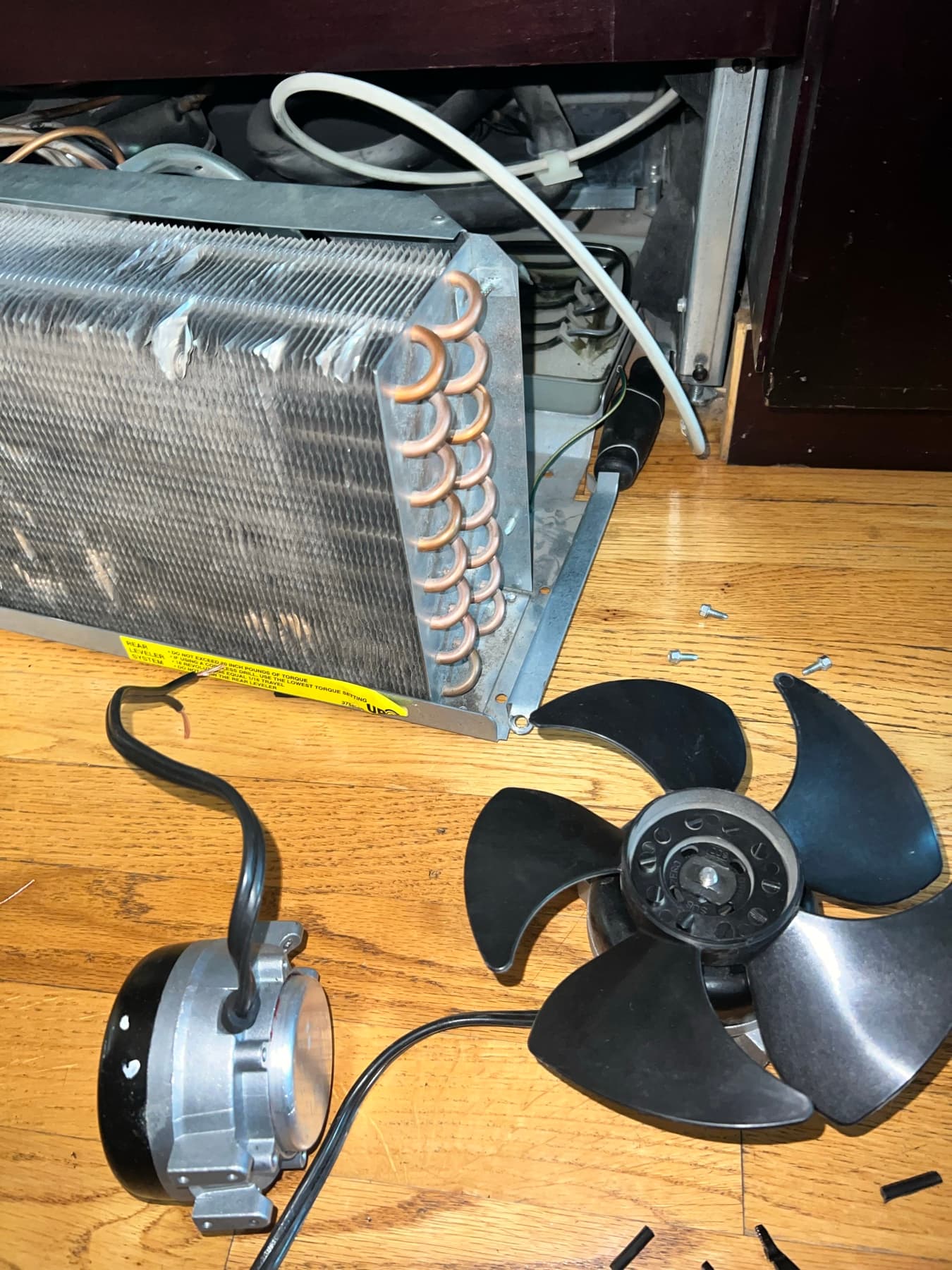
The condenser coils (under or behind the unit) release the heat the refrigerator pulls out of the cabinet. A thick layer of dust and pet hair insulates them, so the compressor works harder and less effectively — this gets worse gradually over months, not overnight.
Evaporator fan not running
The evaporator fan (inside the freezer, usually behind a rear panel) pushes cold air through the duct system into the fridge. If it's seized or the motor has failed, the freezer can still get cold immediately around the evaporator while the rest of the unit gets no airflow at all.
Excess frost on the evaporator coil
If the automatic defrost system isn't cycling properly, frost builds up on the evaporator coil until it eventually blocks airflow entirely, similar to a clogged air filter. This tends to develop over 1–3 weeks, not suddenly.
Compressor or sealed-system issue
If the compressor won't start, cycles off on overload repeatedly, or the sealed system has a slow refrigerant leak, cooling capacity drops or disappears even though the unit sounds like it's running. This is the category that requires real diagnostic equipment — gauges and amp draw testing, not guesswork.
What to Check First
Temperature control setting
SAFE FOR MOST HOMEOWNERS- How to check it
- Check the display or dial. Most refrigerators run best around 37°F for the fresh-food section and 0°F for the freezer.
- What the result may mean
- An incorrect setting is the single most common reason for a fridge that seems to run fine but doesn't get cold.
- Normal
- Set within the recommended range, not turned down to the lowest/off position.
- Abnormal
- Set unusually warm, turned to an "off" or "vacation" setting, or a demo mode is active.
Door seal contact
SAFE FOR MOST HOMEOWNERS- How to check it
- Close the door on a piece of paper or a dollar bill at several points around the door. Try to pull it out.
- What the result may mean
- A gap anywhere in the gasket lets warm air in continuously, which is enough to prevent the unit from ever catching up.
- Normal
- The paper holds with light resistance all the way around.
- Abnormal
- The paper slides out easily in one or more spots, or you can see daylight through the seal.
Internal airflow / vents
SAFE FOR MOST HOMEOWNERS- How to check it
- Open the fridge and locate the air vents, usually along the back wall or top of the fresh-food section.
- What the result may mean
- Blocked vents explain a freezer-cold/fridge-warm pattern almost every time.
- Normal
- Vents are clear, no food packages pressed directly against them.
- Abnormal
- Vents blocked by containers, or shelves packed so tightly air can't circulate.
Condenser coil condition
SAFE FOR MOST HOMEOWNERS- How to check it
- Unplug the unit, then pull it out or remove the bottom kick-plate/rear panel (model-dependent) to view the coils.
- What the result may mean
- Dirty coils reduce cooling efficiency and make the compressor run longer and hotter than it should.
- Normal
- Coils are mostly clean, light dust at most.
- Abnormal
- A thick, matted layer of dust and pet hair covering the coils.
Evaporator fan sound (freezer)
SAFE FOR MOST HOMEOWNERS- How to check it
- Open the freezer door and listen closely near the back wall while the unit is running. On many models, the fan pauses when the door opens, so listen right as you open it.
- What the result may mean
- A fan that isn't running won't push cold air to the rest of the unit even if the freezer itself is cold.
- Normal
- A soft, steady whirring sound.
- Abnormal
- No sound at all, or a grinding/clicking noise.
Frost pattern in the freezer
SAFE FOR MOST HOMEOWNERS- How to check it
- Look at the back wall and any visible coil area in the freezer.
- What the result may mean
- Points toward a defrost system problem restricting airflow, separate from a simple thermostat or door issue.
- Normal
- Little to no visible frost buildup.
- Abnormal
- Heavy, thick frost or ice coating the back wall or visible coil.
Compressor operation (exterior)
ADVANCED — BETTER FOR A TECHNICIAN- How to check it
- With the unit unplugged and coils exposed, place your hand near (not on) the compressor — the black, rounded unit at the bottom.
- What the result may mean
- This check is really about ruling out access issues before calling — actual compressor testing needs amp draw and pressure readings.
- Normal
- N/A — this is an observational check only, not a live test.
- Abnormal
- Do not touch a hot compressor, and never test it while plugged in.
Sealed-system performance
DO NOT ATTEMPT- How to check it
- This requires refrigerant gauges and amp draw testing on the compressor.
- What the result may mean
- If every check above comes back normal and the unit still isn't cooling, a sealed-system issue becomes the leading possibility — but confirming it requires equipment a technician carries.
- Normal
- N/A
- Abnormal
- N/A
Step-by-Step Checks
1. Confirm the actual temperature setting
Find the temperature control, usually a dial or digital display inside the fridge near the top, or on an exterior panel. Confirm it's set to a normal range (around 37°F fridge / 0°F freezer) and not accidentally bumped to a warmer number, an "off" position, or a demo/showroom mode (check your manual if you see a flashing display — some models use this for shipping and it disables cooling entirely).
2. Check the door seal at multiple points
Close the refrigerator door on a dollar bill or a sheet of paper at the top, middle, bottom, and both sides. If it pulls out freely anywhere, the gasket isn't sealing at that spot. A dirty gasket can sometimes be cleaned with warm soapy water and reseated; a torn or permanently deformed one needs replacement.
3. Clear the internal vents and don't overpack
Locate the air vents (check your manual if you're not sure where they are — commonly along the back wall). Move any food containers away from direct contact with the vents, and if shelves are packed edge-to-edge, remove a few items to let air circulate. Give it 24 hours after clearing vents before judging the result — refrigerators respond slowly.
4. Inspect and clean the condenser coils
Unplug the refrigerator first. Depending on the model, the coils are either behind a bottom kick-plate at the front, or on the back of the unit. Use a vacuum with a brush attachment or a coil-cleaning brush to remove dust and pet hair. Avoid bending the coil fins. Plug back in once finished.
5. Listen for the evaporator fan
Open the freezer door and listen for a soft whirring sound near the back interior wall. If you hear nothing, and the freezer compartment itself doesn't feel cold either, this points toward a fan or airflow problem worth mentioning to a technician specifically — it narrows the visit significantly.
6. Give it time before re-checking
After any of the above adjustments, wait at least 24 hours before judging results. Refrigerators are slow to respond — checking again after 20 minutes won't tell you anything useful.
Look, Listen, Observe
look
- Heavy frost or ice on the freezer's back wall or visible coil — Suggests a defrost system problem restricting airflow, not just a settings issue.
- Water pooling under the crisper drawers — Can accompany a defrost/drain problem alongside the cooling issue — see our refrigerator leaking water guide.
- Visible gap or tear in the door gasket — Confirms a seal problem is at least contributing to the issue.
listen
- A soft, steady hum from the compressor area — Generally normal — the compressor is running.
- No fan sound at all from inside the freezer — Possible evaporator fan failure — worth telling the technician directly.
- A loud buzz, clicking, or the unit cycling on and off repeatedly within minutes — Can indicate the compressor is struggling to start, which points toward electrical or sealed-system issues.
observe
- Freezer cold, fresh-food section warm — Points toward blocked airflow or a fan issue rather than the compressor itself.
- Both compartments warm and the unit runs constantly — Points more toward the condenser, compressor, or sealed system.
Easy Things You Can Try
- Reset the temperature control — Set it back to the manufacturer-recommended range if it was bumped or set incorrectly.
- Clean the door gasket — Wipe it down with warm water and mild soap, then dry thoroughly and check that it seals fully again.
- Rearrange food away from vents — Move items blocking internal air vents, and avoid pressing food directly against the back wall.
- Vacuum the condenser coils — With the unit unplugged, clear dust and pet hair from the coils using a vacuum brush attachment.
- Give it 24 hours — After making any adjustment, wait a full day before deciding whether it worked — refrigerators respond slowly.
Technician Tips
If the freezer is cold but the refrigerator compartment is warm, airflow becomes the important diagnostic clue — that pattern points away from the compressor and toward the fan or the duct system between compartments.
Heavy, thick frost specifically on the back wall of the freezer usually means the defrost system isn't cycling, not that the unit simply needs to run longer.
A compressor that clicks and shuts off repeatedly (short-cycling) rather than running continuously is often trying to start against too much resistance — that's a sign to stop troubleshooting and get a technician rather than keep resetting anything.
Dirty condenser coils are one of the most common calls that turn out to be a 20-minute fix rather than a repair — it's worth checking before assuming something is broken.
Diagnostic Tricks
- SAFE FOR MOST HOMEOWNERS
Feel the air coming from the freezer vent into the fridge section (where visible) — if it's blowing cold air but the compartment still isn't cooling, the compressor and sealed system are likely fine and it's an airflow/insulation issue closer to the fridge side.
- SAFE FOR MOST HOMEOWNERS
Time how long the compressor runs before cycling off. A healthy compressor cycles on and off in intervals; one that runs nonstop for hours without ever shutting off is working harder than it should.
- SAFE FOR MOST HOMEOWNERS
Compare the temperature at the top shelf versus the bottom shelf with an appliance thermometer left in for a few hours — a big difference can point to an airflow or duct blockage rather than a global cooling failure.
- ADVANCED — BETTER FOR A TECHNICIAN
Amp draw testing on the compressor during startup can distinguish a weak start winding from a sealed-system restriction — this is technician-level equipment, not a home test.
Error Codes
Most standard refrigerators don't display numeric error codes at all — cooling problems usually show up as symptoms rather than a code on a display. Some smart/connected models do show codes for specific faults; if yours does, check it against your model's manual, since the same code can mean different things across brands. See our appliance error code guide for commonly documented codes on other appliance types. Appliance error code guide.
Can I Fix This Myself?
Verifying the temperature setting, checking the door seal, clearing vents, and cleaning the condenser coils are all safe for most homeowners and solve a real share of "not cooling" calls.
Diagnosing an evaporator fan that isn't running, or excess frost buildup pointing to a defrost system fault, usually means accessing interior panels — doable for confident DIYers but easy to misdiagnose.
Anything involving the sealed refrigeration system (compressor, refrigerant, sealed-system leaks) requires EPA-certified equipment and training. This isn't a DIY category regardless of experience level.
What Not to Do
- Don't open the sealed refrigerant system for any reason — this requires EPA 608 certification and specialized recovery equipment, and improperly handling refrigerant is both dangerous and illegal for uncertified individuals.
- Don't repeatedly adjust the temperature control colder and colder hoping it helps — if the unit isn't reaching temperature at a normal setting, a colder setting won't fix the underlying cause and just makes it harder to tell what's actually happening.
- Don't remove interior panels to access the evaporator fan or coil unless you're comfortable working around it safely and know how to reassemble it — a panel put back incorrectly can restrict airflow further.
When to Stop Troubleshooting
- You smell anything burning or electrical.
- The compressor housing is hot enough that you can't comfortably hold your hand near it for more than a second or two.
- You've checked settings, the door seal, vents, and coils, and nothing has changed after 24 hours.
- You hear the compressor clicking and shutting off repeatedly rather than running normally.
- Diagnosing further would require opening the sealed refrigerant system.
Don't Replace Parts Yet
A refrigerator that isn't cooling can come from several different systems — the door seal, internal airflow, the condenser, the evaporator fan, or the sealed system itself — and several of them produce very similar symptoms from the outside. Replacing a compressor or a fan motor without confirming it's actually the cause can mean paying for a part that wasn't the problem, while the real issue (like a restricted duct or a failing start relay) goes unaddressed. A proper diagnosis checks the whole system in order before recommending a specific repair.
Frequently Asked Questions
This usually means the compressor is operating but something else in the system — the thermostat setting, door seal, internal airflow, condenser coils, or evaporator fan — isn't allowing that cooling to reach the cabinet. It's less commonly the compressor itself.
Still not sure what's causing the problem?
Professional diagnosis can help identify the actual cause before replacing parts unnecessarily.